AI Teading Teens: a hands-on book about how AI works
An online book where kids aged 11–15 find out how AI sees, hears, learns and talks by turning dials in hands-on labs. What's inside, and where to start.
Kids today talk to AI, get pictures from AI, and hear about AI everywhere. Sooner or later comes the big question: how does it actually work?
AI Teading Teens is our answer for older kids. It isn’t a book you read about AI. It’s a book you do. Let’s flip through it together. 🔬
What is AI Teading Teens?
AI Teading Teens is a place to find out how AI actually works, not by reading about it, but by getting your hands on it. It’s made for kids aged 11–15, and it opens in a web browser.
Here’s how it’s put together:
- One chapter is one web page. The story and the labs sit together: read a little, turn a dial right there, keep reading.
- Every lab has a short name like
P1orH6, and those names don’t change between editions. - Each lab has two or three small goals, and a stamp appears as each one lands.
The journey: from rules to your own rules
The chapters build on each other, from what AI is, through AI that sees, hears, learns and talks, to AI that makes things and what it means to live alongside it. A few stops along the way:
| Chapter | What happens |
|---|---|
| 1.1 Following rules vs. figuring it out | Take on a machine that guesses animals. You’ll probably win |
| 2.1 A photo is numbers | Zoom into a photo until every square shows its number |
| 3.1 Teach it yourself | Teach a machine without writing a single rule |
| 4.2 The next-word game | See that a talking AI guesses the next piece, again and again |
| 4.4 Confidently wrong | Compare an old chatbot’s mistakes with today’s |
| 5.1 From mess to picture | Watch a picture-making AI clear away mess |
| 6.4 Your own rules for AI | Decide how you’ll use it |
Many chapters open with a real story from the history of AI, like the researcher who fed a photo of his baby son into a computer in 1957. The site even has a page called What we checked, showing where each story came from.
Lab: a photo is numbers
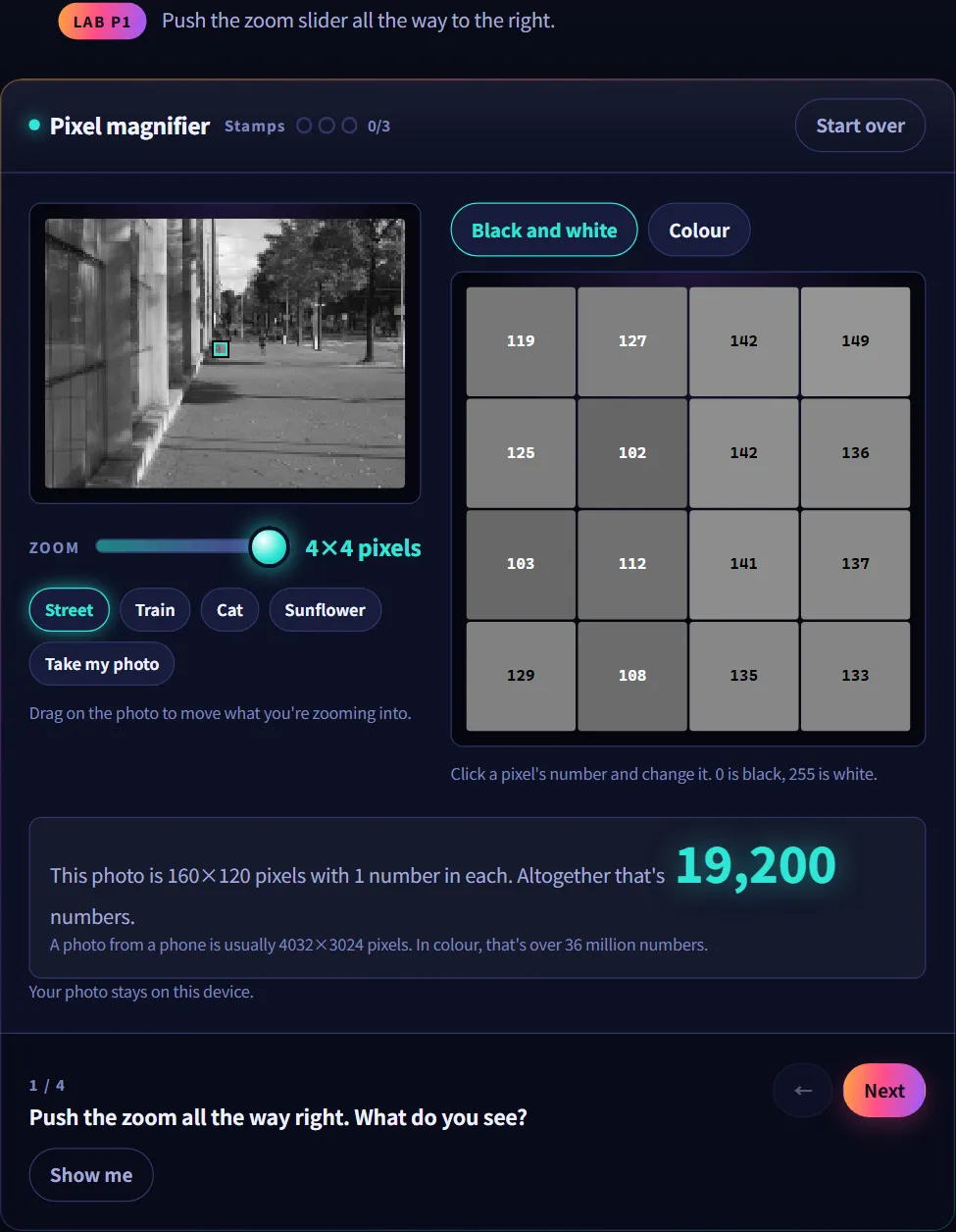
Chapter 2.1 starts with a simple fact: a computer can’t look at a photo. Numbers are the only thing a computer has.
In the Pixel magnifier lab, you push the zoom slider all the way to the right, and the photo turns into squares with a number on each. You can even click a number, change it, and watch that square get lighter or darker.
Lab: guessing the next word
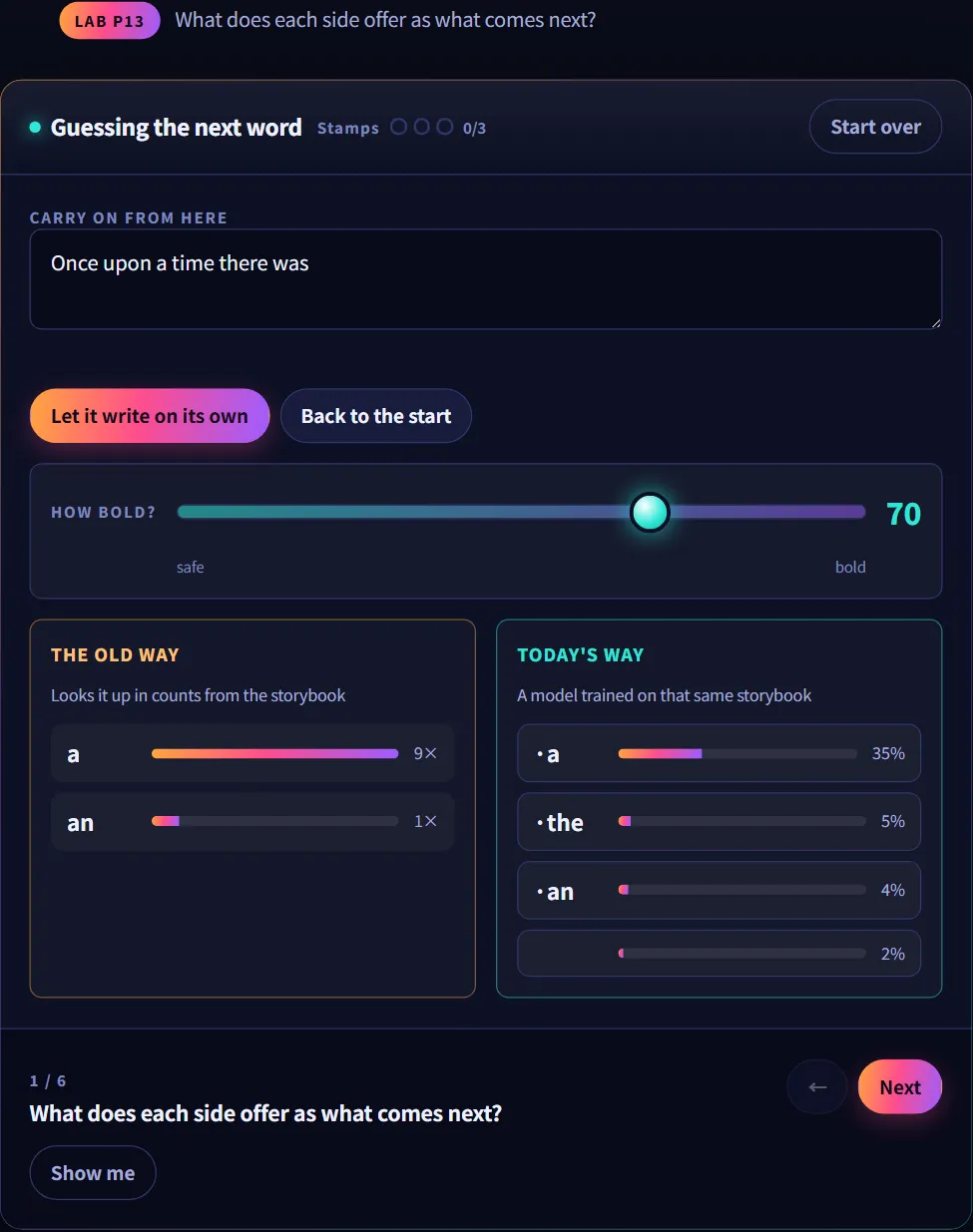
Chapter 4.2 makes a bold claim: today’s talking AI does exactly one thing, guess the next piece. Make it very good at that, and the rest follows.
In the Guessing the next word lab, a sentence from a storybook waits to be continued. One side looks up counts from the storybook. The other side is a model trained on that same storybook, offering its guesses as percentages. A slider asks how bold it should be.
Along the way, the chapter shows something surprising: when a counting machine looks further back, its writing gets smoother, but that’s because it’s copying the storybook word for word.
Lab: from mess to picture
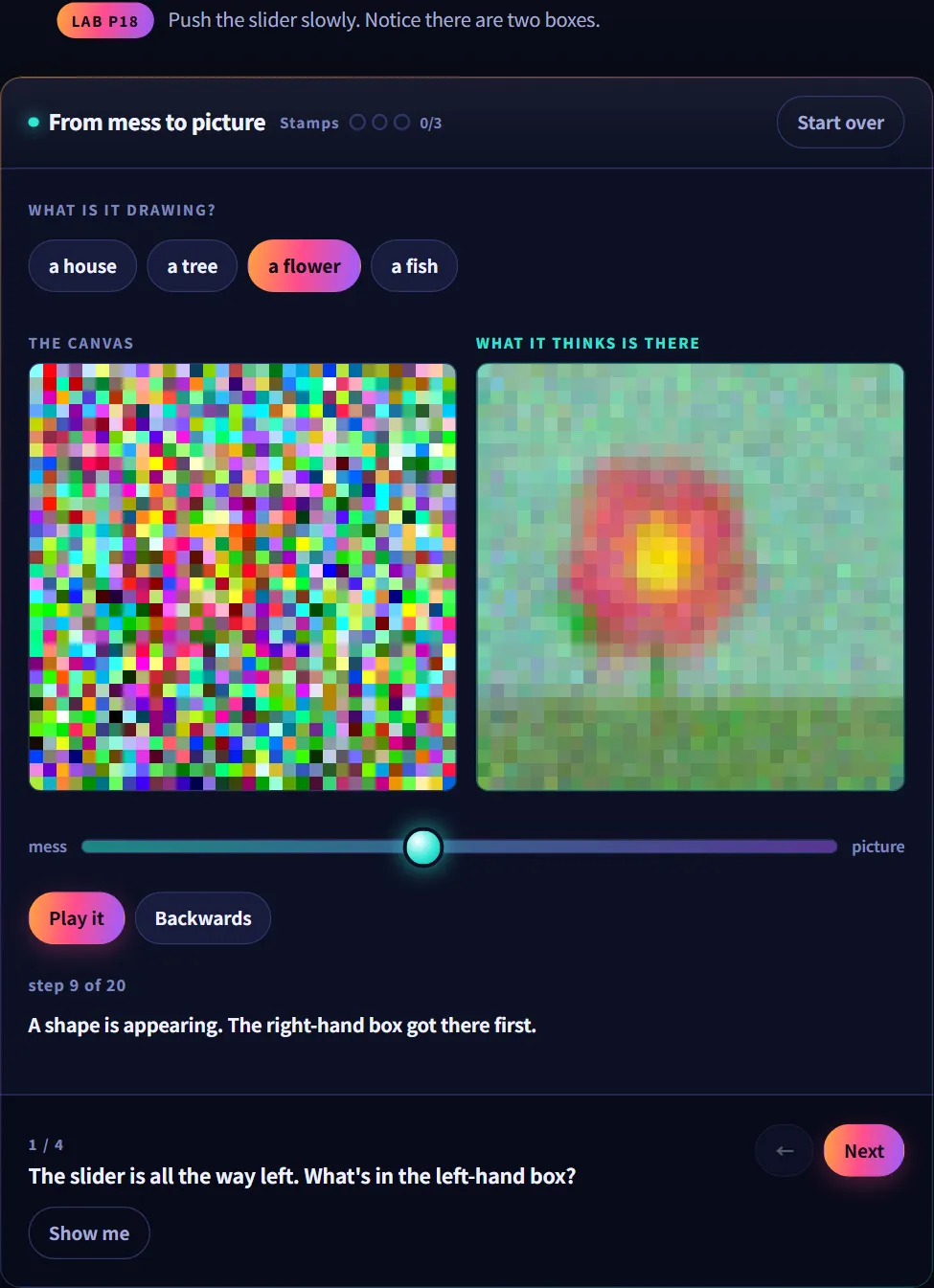
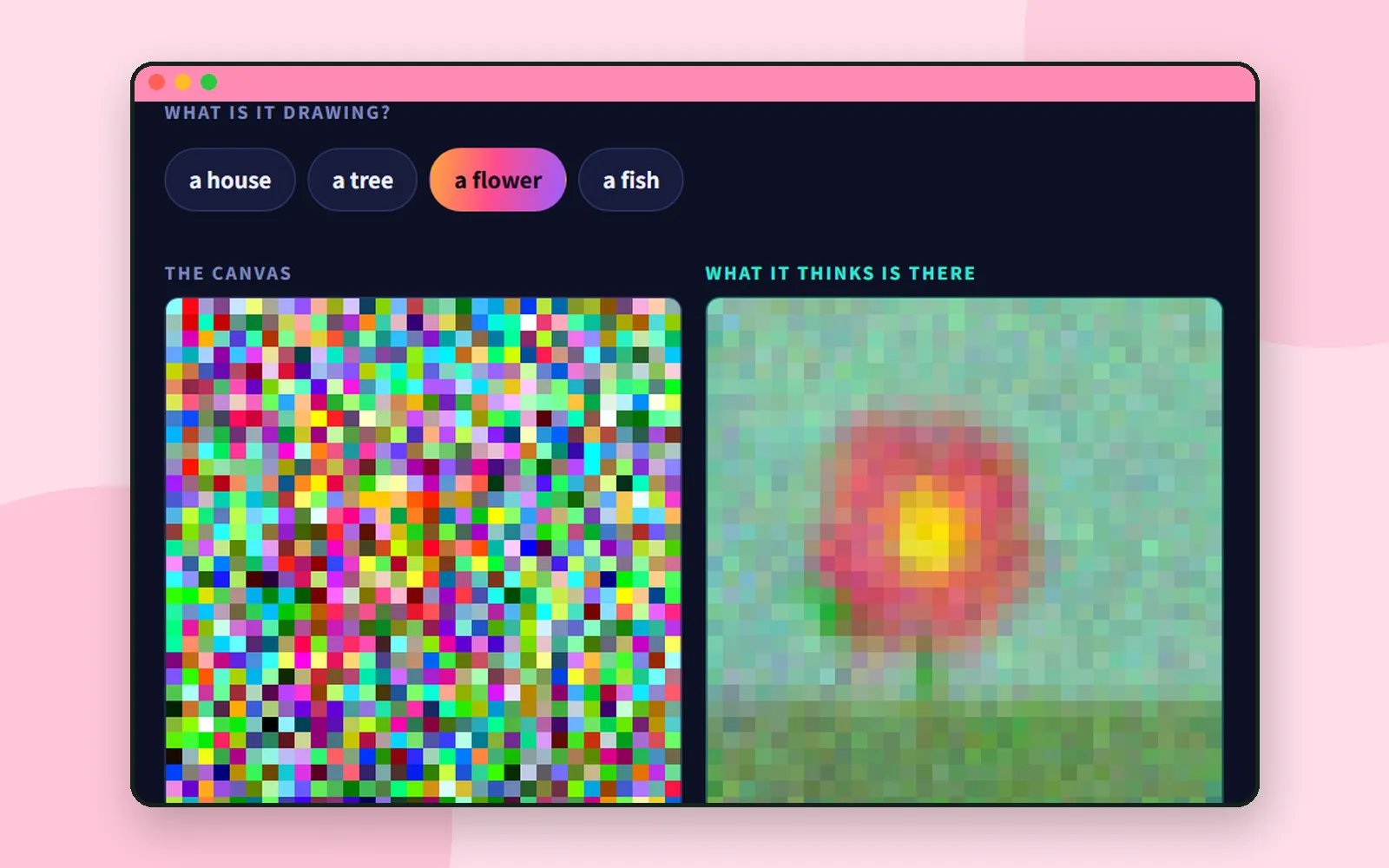
How does an AI that makes pictures draw? In chapter 5.1, not line by line on white paper. It starts with nothing but mess.
Push the slider slowly and watch two boxes. The canvas stays messy for a long time, but what it thinks is there already shows something flower-shaped. The machine looks at mess, guesses what’s in there, and takes away whatever doesn’t fit. These pictures come from a small picture machine the team trained themselves.
For parents and teachers
AI Teading Teens has a page called For grown-ups and teachers. It’s worth a read before you start. A few highlights:
- About 30 to 40 minutes per chapter: roughly ten minutes reading, twenty or thirty doing. The page suggests poking at one lab for a long time rather than rushing through several chapters.
- It’s fine to give away the answer. Every lab has a Show me button, put there on purpose. A kid stuck on a question for too long isn’t learning, they’re leaving.
- You don’t need to know the answers. Press the buttons together, be surprised together, and your kid gets to be the one who worked it out.
Coming up next
Curious about the rest of our apps? Head back to Meet CodingTeading. And for kids who want to share the little apps they make with AI, there’s Bzzdex for ages 14 and up.
Next time we head back to the village: Ddolbeng and friends, the characters kids meet across our games.
Frequently asked questions
What age is AI Teading Teens for?
It's made for ages 11–15. Younger children can start with AI Teading Kids, which is for ages 9–10.
How long does a chapter take?
The page for grown-ups and teachers says about 30 to 40 minutes: roughly ten minutes of reading and twenty or thirty of doing.
Can I use it in class?
Yes. The guide for teachers says a chapter is about one lesson's worth, one device at the front of the room is enough, and you can jump straight to a single lab by adding its name to the chapter address.
What if my child gets stuck?
Every lab has a Show me button, put there on purpose. You don't need to know the answers yourself. Press the buttons together and be surprised together.