Prompt Workshop: fill in the blanks, copy, and see why it works
Most prompt lists hand you a paragraph and leave you guessing. Prompt Workshop has you fill in the variables, copy, and read why each line is there.
Most “best prompts” lists give you a wall of text, you paste it, and the answer is somehow worse than what you’d have written yourself. The problem isn’t the text. It’s that nobody told you which part was doing the work.
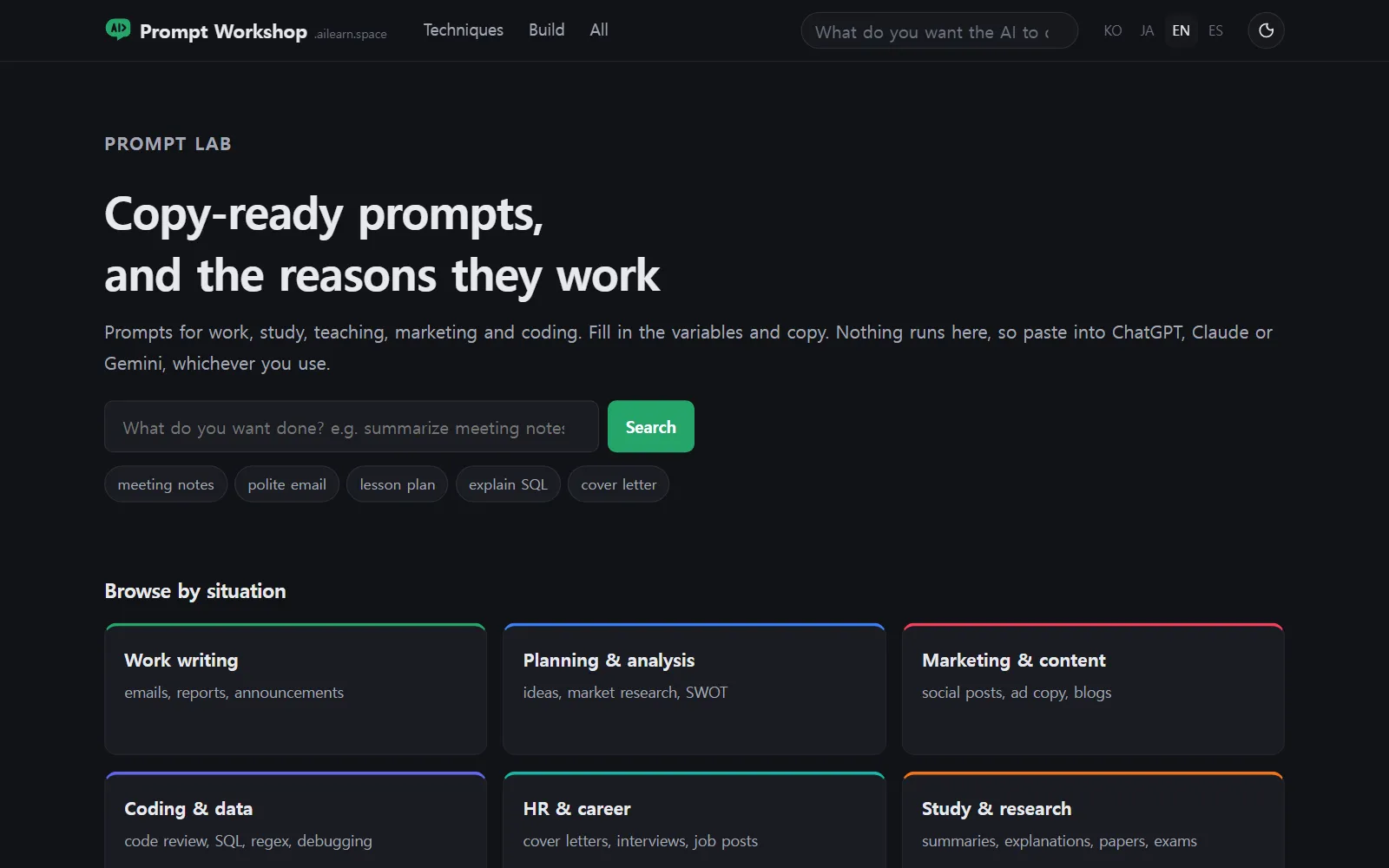
Prompt Workshop is built around that gap. Its subtitle says it plainly: Copy-ready prompts, and the reasons they work. Let’s take one prompt apart. 🧰
Start from the situation, not the prompt
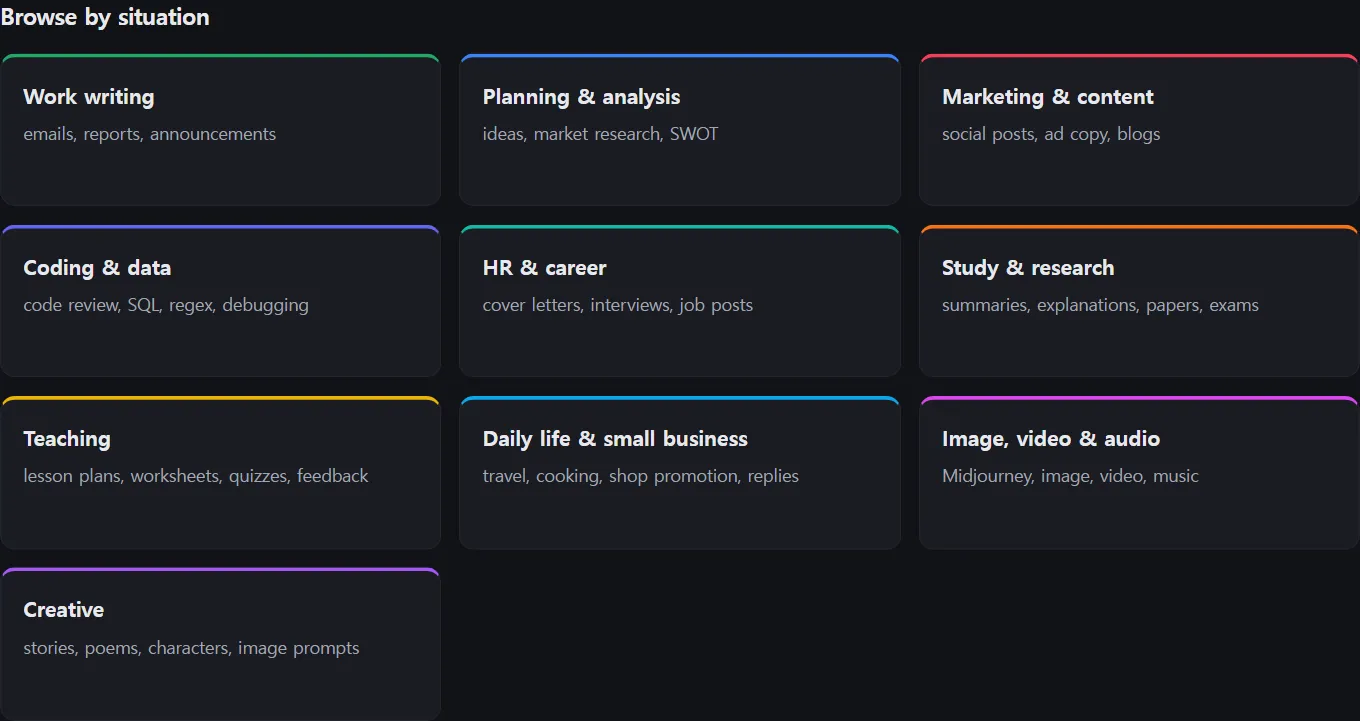
Nobody wakes up wanting “a prompt”. They want to finish something. So the home page is organised as Browse by situation: Work writing, Planning & analysis, Marketing & content, Coding & data, HR & career, Study & research, Teaching, Daily life & small business, Image, video & audio, Creative.
I’ll follow the one a teacher would open: Teaching — lesson plans, worksheets, quizzes, feedback.
One prompt, in four parts
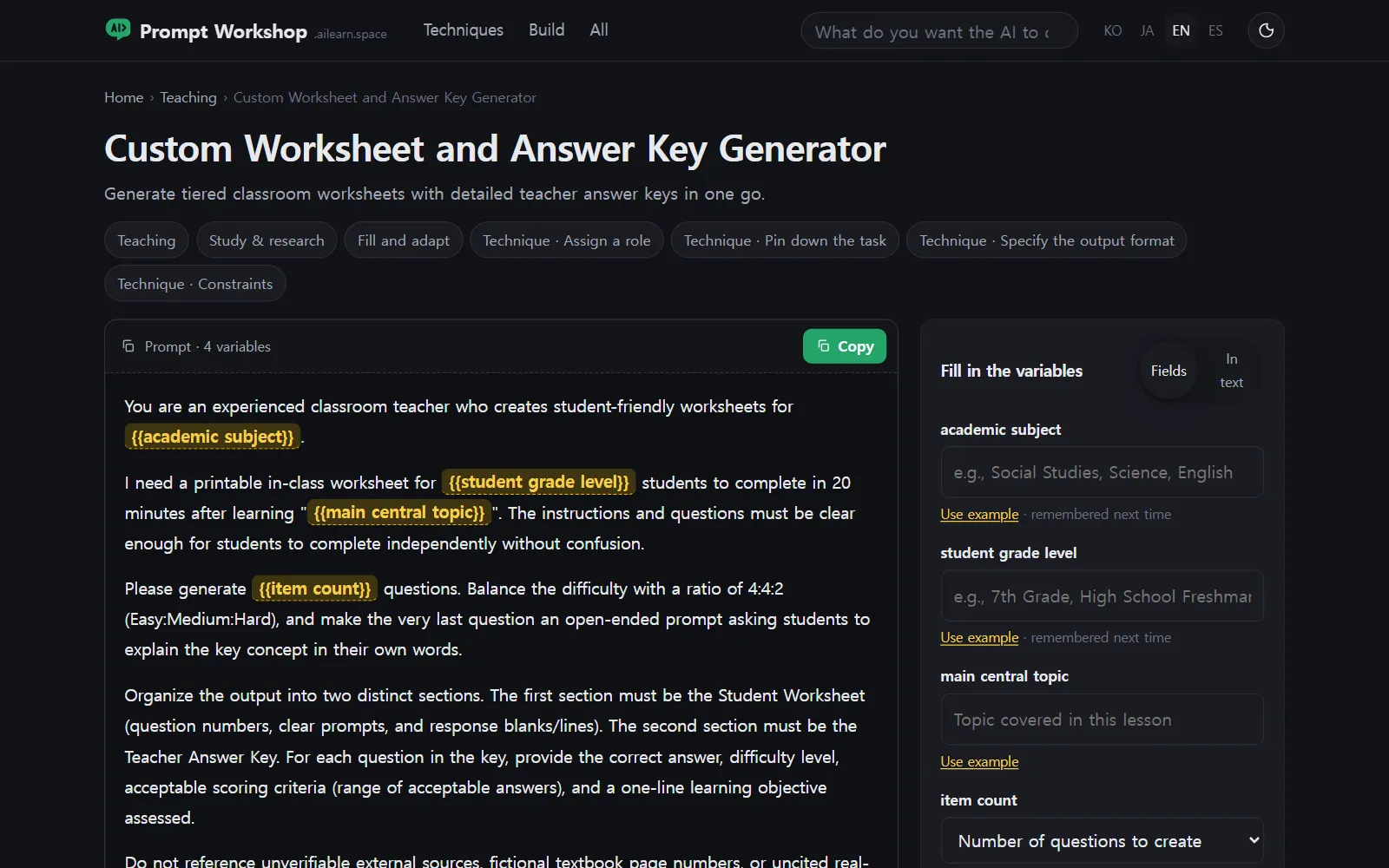
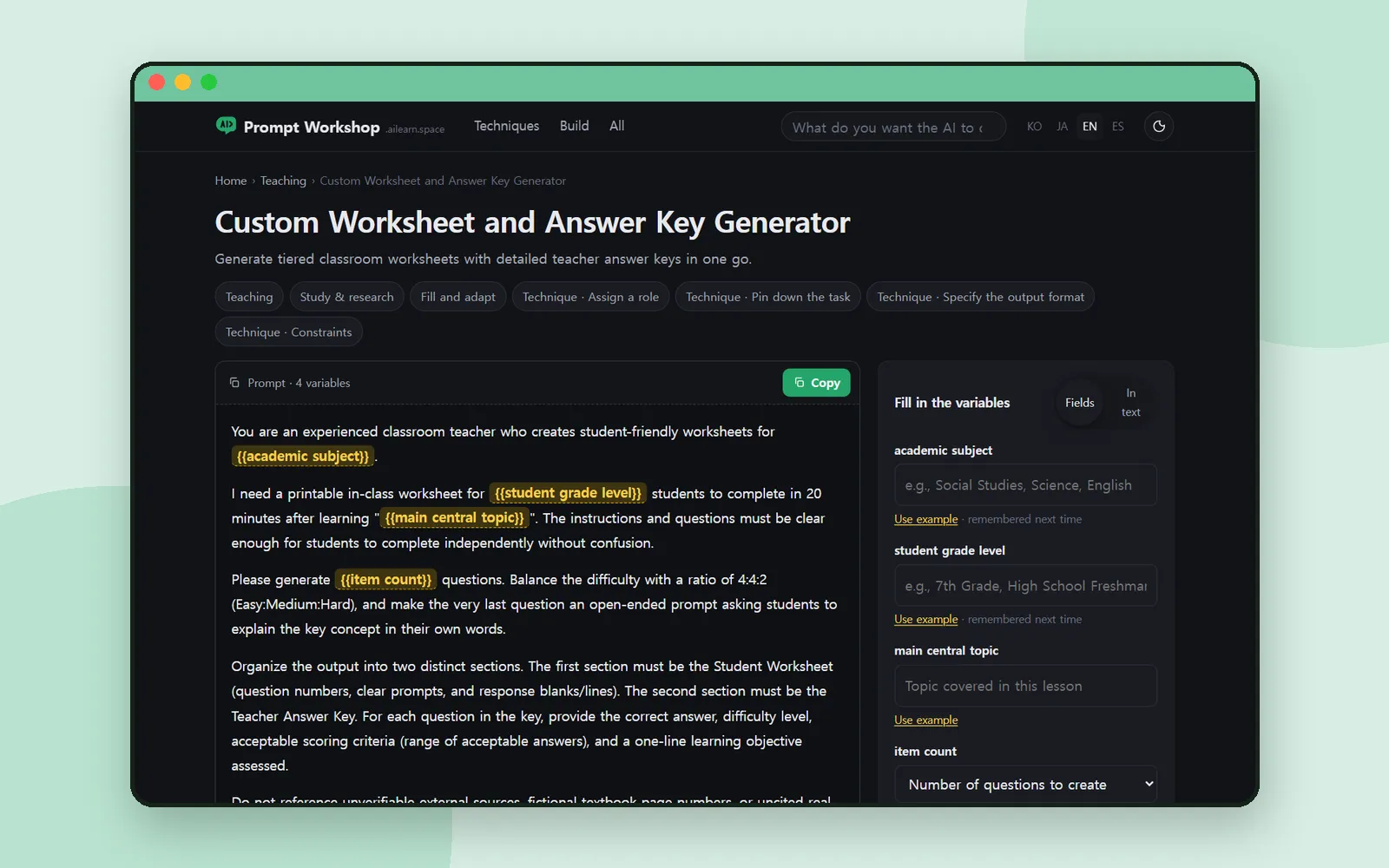
The prompt is Custom Worksheet and Answer Key Generator. Under the title sit its technique chips — Technique · Assign a role, Technique · Pin down the task, Technique · Specify the output format, Technique · Constraints — so you know what you’re about to read before you read it.
The prompt itself opens like this:
You are an experienced classroom teacher who creates student-friendly worksheets for {{academic subject}}.
1. The blanks are fields
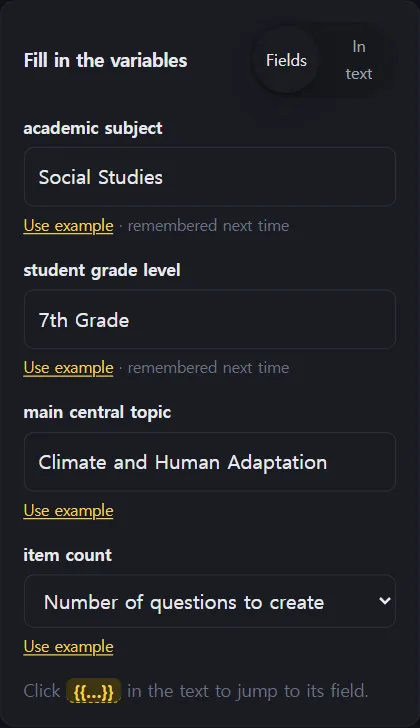
Everything in double braces is a variable, and each gets a box under Fill in the variables: academic subject, student grade level, main central topic, item count. There’s a Fields / In text switch if you’d rather type inside the prompt, and Use example under each box drops in a sample — Social Studies, 7th Grade, Climate and Human Adaptation.
Fill them in, press Copy, and you have a prompt with no blanks left in it.
2. It goes where you work
The buttons underneath are Open in ChatGPT ↗, Open in Claude ↗ and Open in Gemini ↗. Nothing runs on the site itself — it hands you the text and gets out of the way. For teachers there’s also Download classroom card.
3. The reasons, line by line
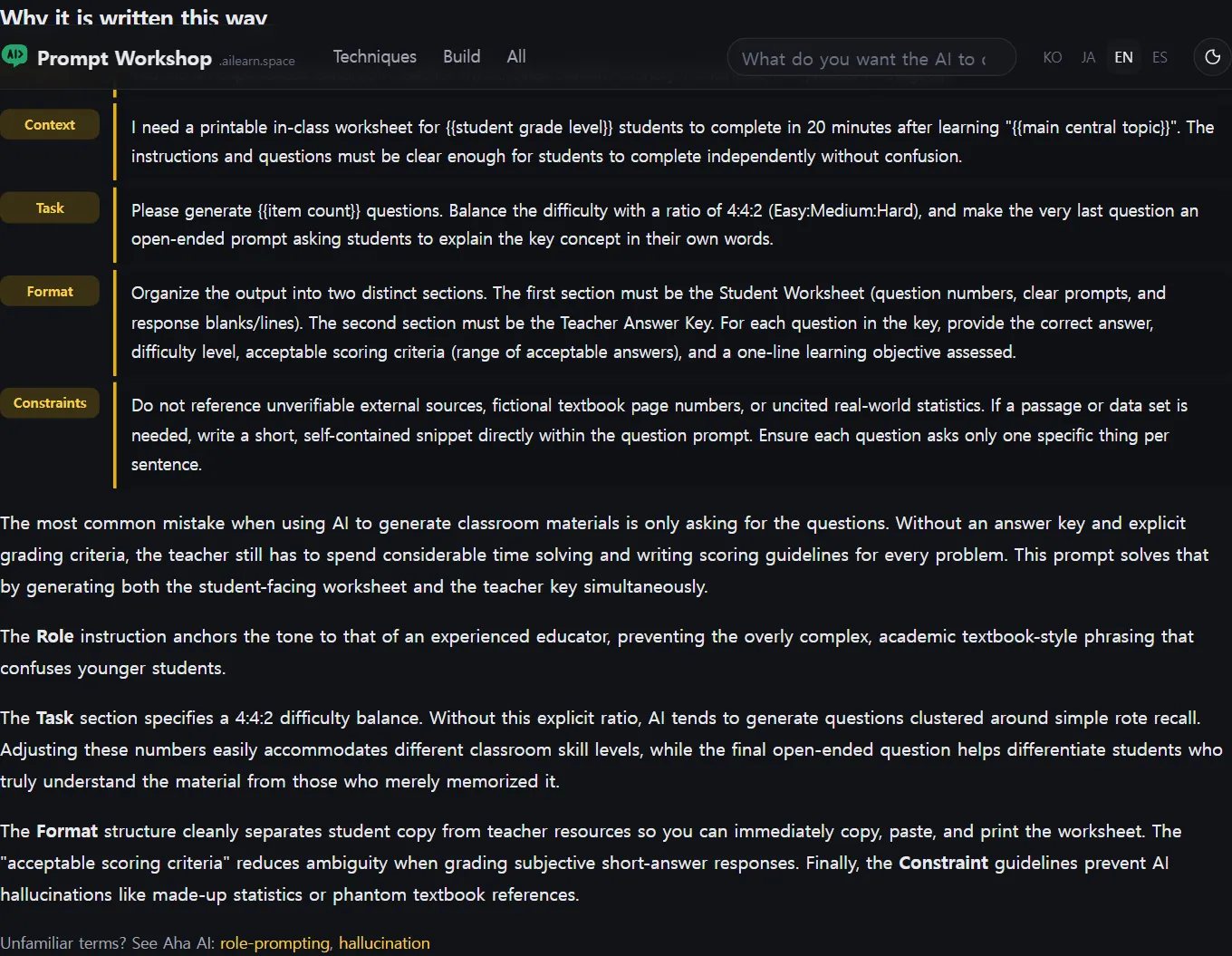
This is the part I keep coming back for. Why it is written this way walks down the prompt with five labels — Role, Context, Task, Format, Constraints — and says what each one is preventing.
The worksheet prompt’s notes make the case better than I can:
- Role anchors the tone to an experienced teacher, which keeps the questions out of textbook language that younger students trip over.
- Task sets a 4:4:2 easy/medium/hard balance, because without a ratio the model clusters everything around simple recall.
- Format splits the output into a student worksheet and a teacher answer key, so you can print the first half as it is.
- Constraints forbid textbook page numbers and uncited statistics — the things a model invents most convincingly.
4. And the version that fails

Every prompt page ends with Compared with a bad example. For this one, the Common bad example is the request most of us would actually type:
Make 8 questions for 7th grade social studies about climate and human adaptation.
You do get questions. You get no answer key, no scoring criteria, and a difficulty curve that leaves half the class finished in two minutes and the other half stuck.
Below that come Variations — a self-grading quick check, and two tiered versions with a side-by-side key — and Model notes for where a particular model drops the formatting.
Then write your own
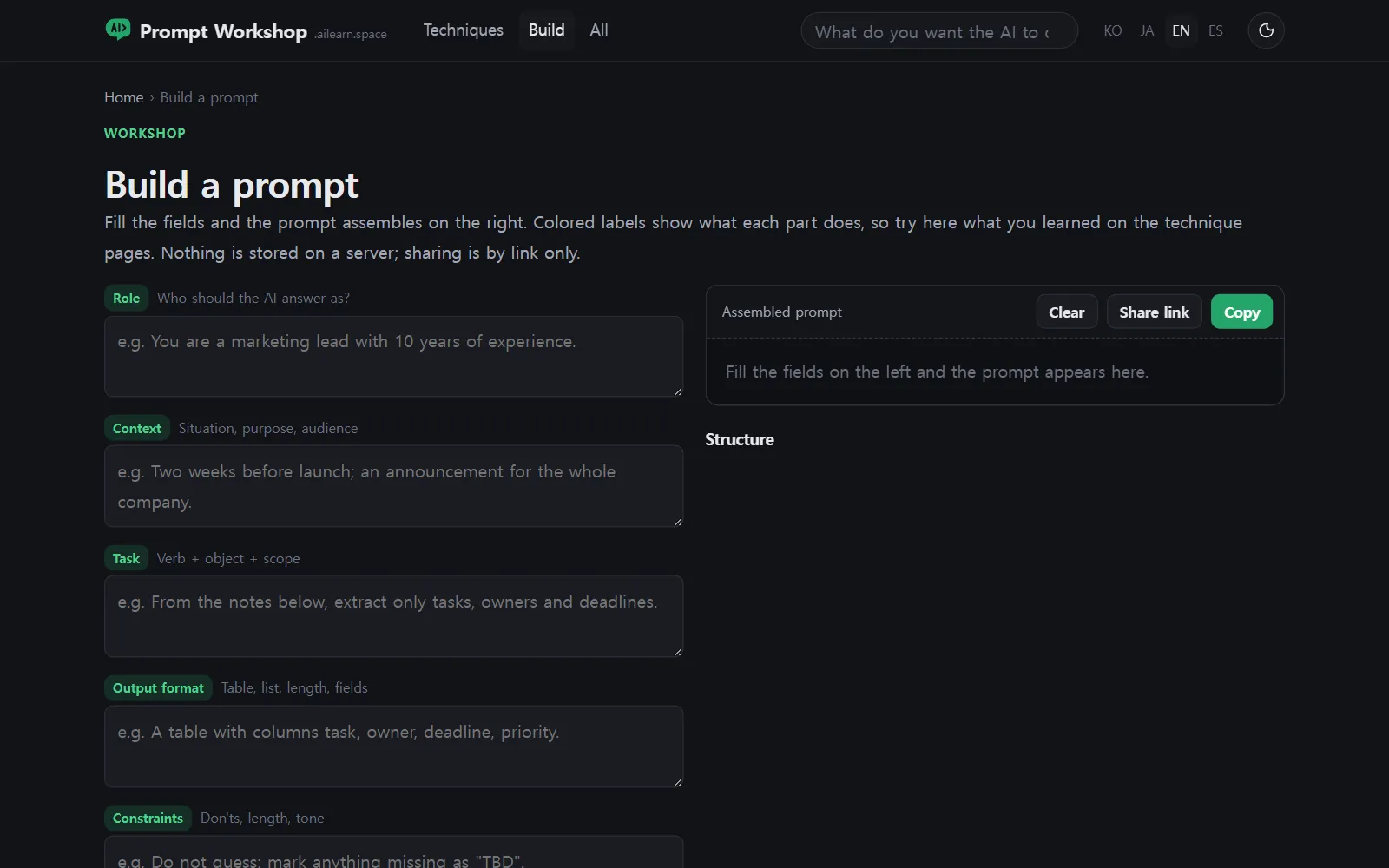
Once you’ve seen the same five parts three or four times, the site’s Build a prompt page stops looking empty. It gives you a box for each — role, context, task, format, constraints — plus Technique toggles and a Structure view, and assembles the result for you to Copy.
That’s the whole point of the site, really: you arrive to borrow a prompt and leave able to write one.
Coming up next
Want the concepts behind the words first? Aha AI explains them one card at a time. Want to try the models themselves rather than prompts for them? AI Teading runs in the browser.
Next time: Scratch for Children 2, where a child gives a character a face and a move.
Frequently asked questions
Does the AI run on the site?
No. You fill in the variables and copy the finished prompt, then paste it into ChatGPT, Claude or Gemini. The Open in buttons take you straight there.
What are the double-brace parts in a prompt?
They are the variables. Each one has a field on the right, and Use example fills it with a sample value so you can see the shape of the answer it expects.
Why does every prompt have a Why it is written this way section?
So you can reuse the thinking, not just the text. It walks through the prompt's Role, Context, Task, Format and Constraints and says what each part prevents.
Can I write my own prompt there?
Yes. Build a prompt gives you the same five fields plus Technique toggles, and it assembles the result for you to copy.