AI Teading: a hands-on AI lab you try in the browser
Wave at a webcam and AI traces your hand; scribble, and it guesses. AI Teading gathers AI to try in the browser. Here's how to find the right one for class.
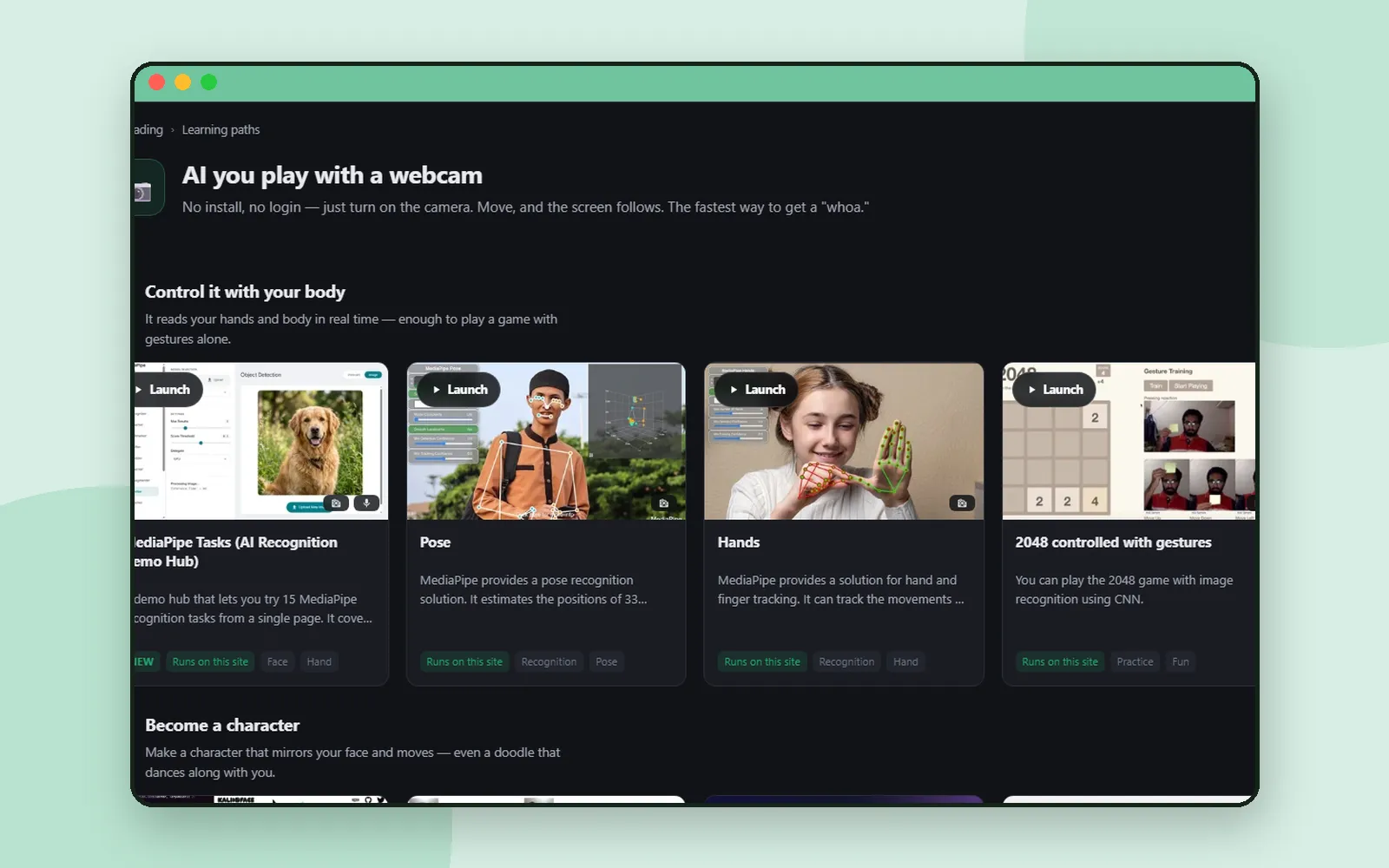
An explanation of artificial intelligence can go right over a class’s heads. But wave at a webcam and watch the screen trace your hand, or scribble something and see the computer guess what it is, and suddenly it clicks.
That’s the idea behind AI Teading: AI is quicker to grasp by touching it than by being told about it. Let’s look at how to find the right activity, whether for a class tomorrow or for a curious teenager tonight. 🧪
What is AI Teading?
AI Teading is a big shelf of artificial intelligence to try right in the browser. Some resources run on the site itself, and others link out to well-known services such as ChatGPT and Gemini. Every resource has its own page that tells you what it does and how to try it.
It began as the companion site to CodingTeading’s book on hands-on AI, and has grown well beyond it since.
Narrow it down with filters
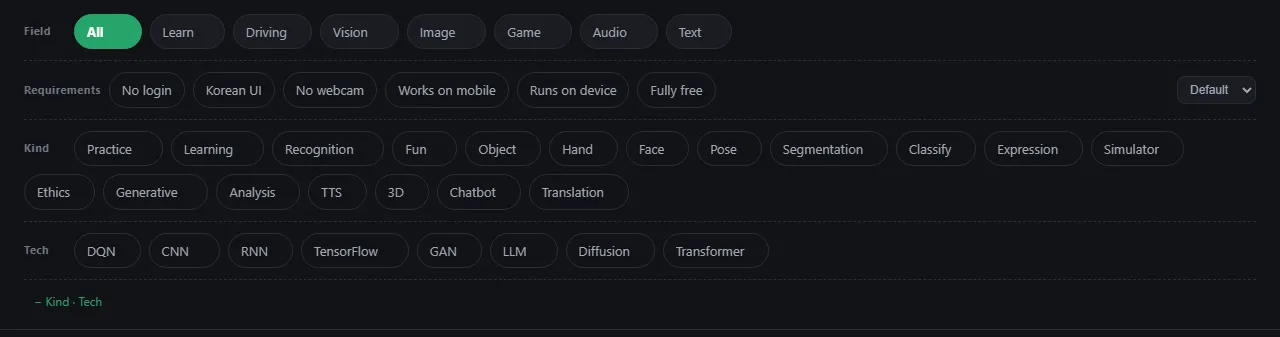
With this many resources, finding the right one matters. The filters on the first page come in rows:
- Field: pick one, such as Image, Vision, Audio, Text or Game. Press it again to clear it.
- Requirements: turn on as many as you like, such as No login, No webcam, Runs on device or Fully free. Only the resources that meet every one you turned on stay on the list.
- Kind and Tech: narrow by what it is, like Generative or Ethics, or by the technique, like CNN or Transformer. Fold these two rows away with − Kind · Tech.
Try it: activities that work in a computer lab
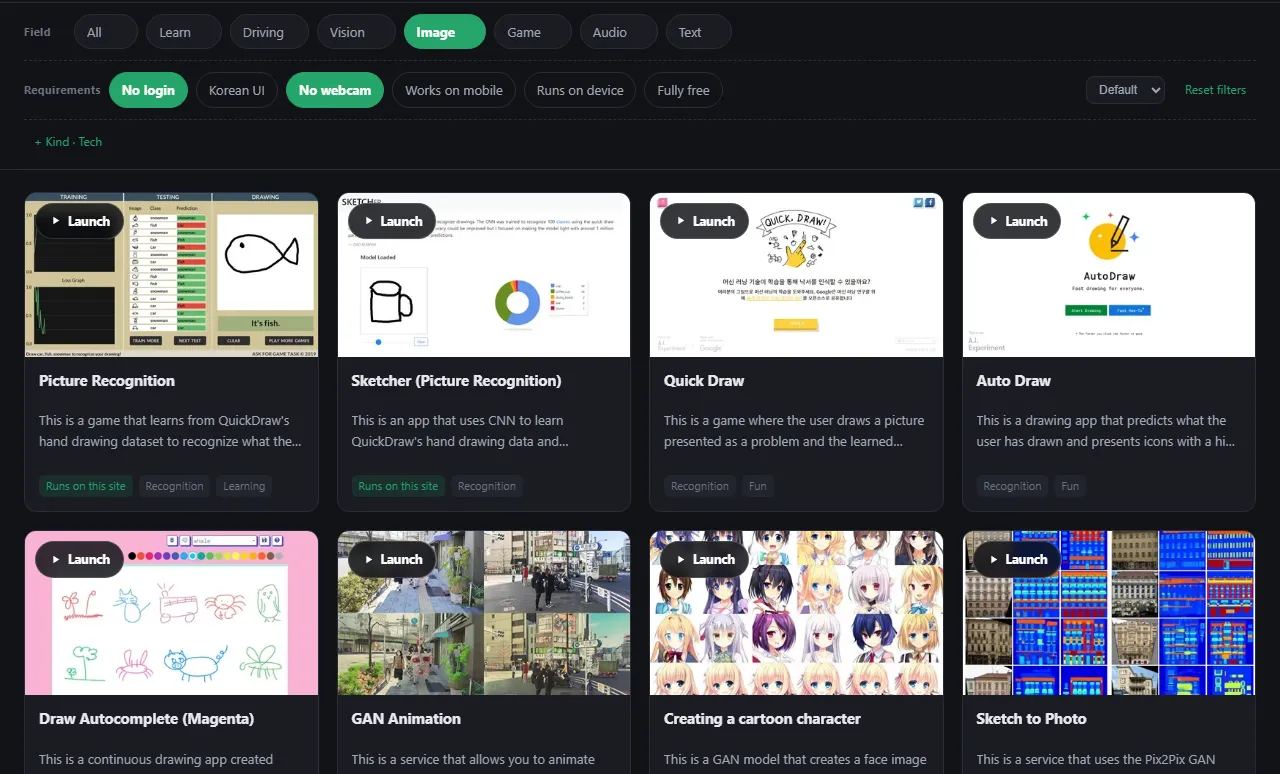
The first questions before a lesson are usually “Do students need accounts?” and “We don’t have webcams, will it work?” Here’s how to check in a few clicks.
Not sure where to start? Learning paths
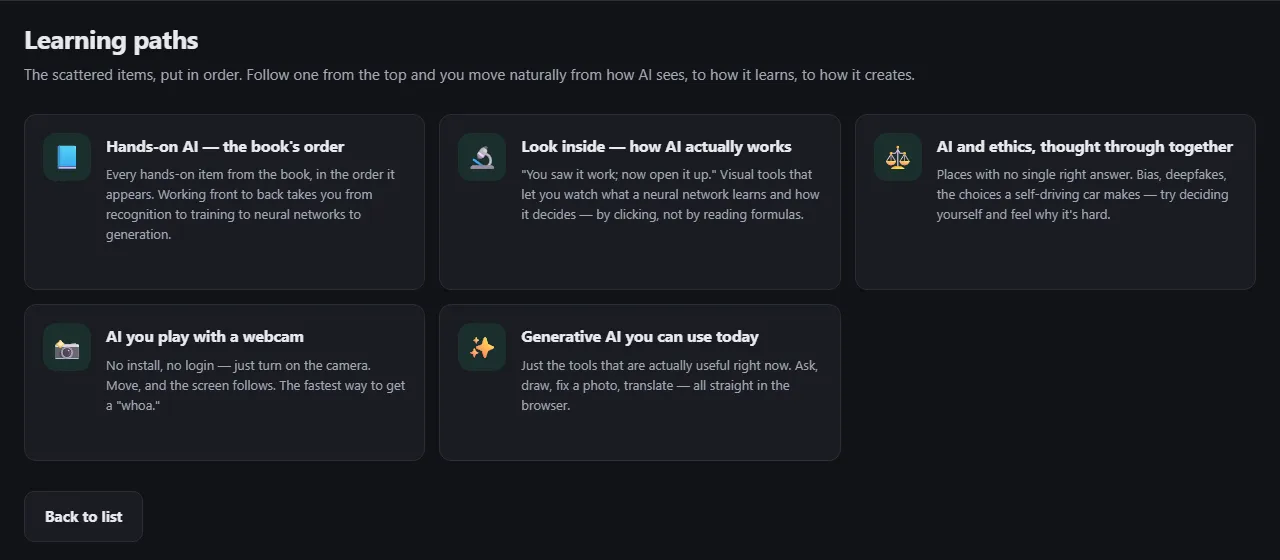
At the very top of the first page, Not sure where to start? leads to the learning paths. Each path puts scattered resources into an order:
- Hands-on AI — the book’s order: from recognition to training to neural networks to generation
- Look inside — how AI actually works: watch what a neural network learns, by clicking rather than reading formulas
- AI and ethics, thought through together: bias, deepfakes and the choices a self-driving car makes
- AI you play with a webcam: move, and the screen follows
- Generative AI you can use today: ask, draw, fix a photo, translate
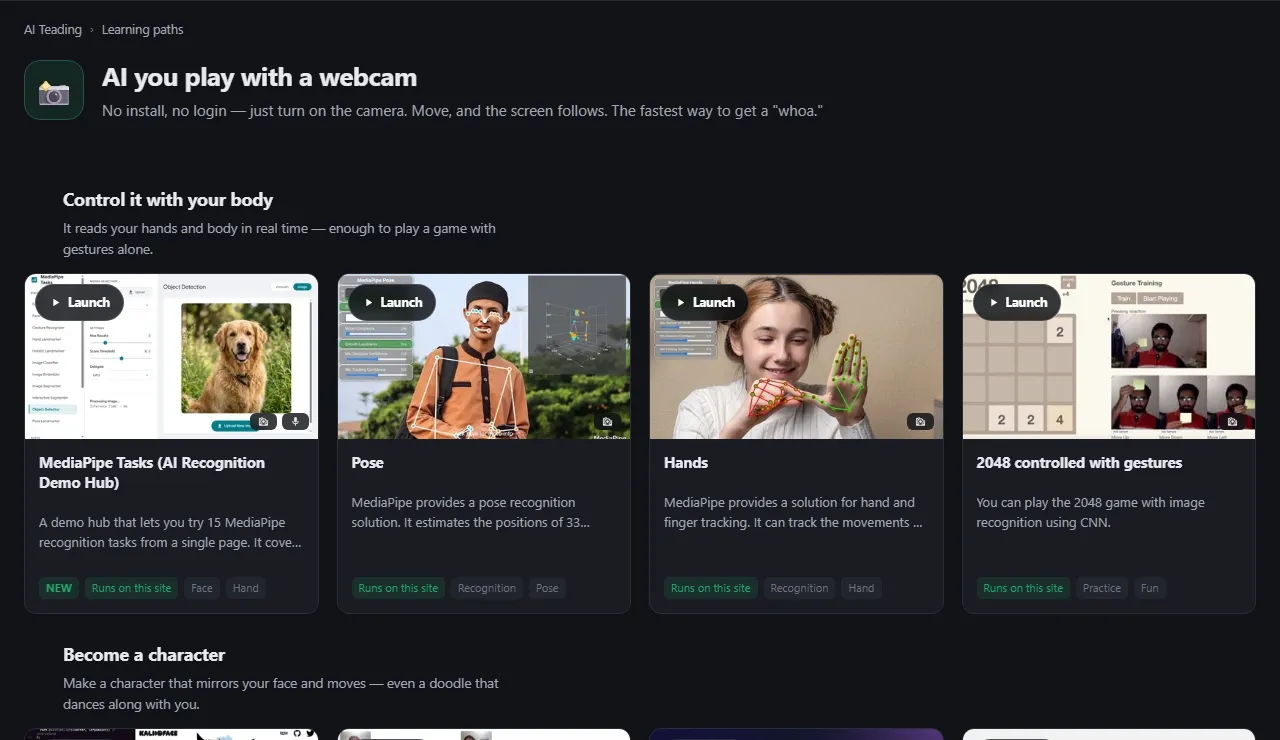
Open a path and it’s laid out in numbered steps, each with a short note and its cards. In AI you play with a webcam, for example, the steps go from Control it with your body to Become a character to Recognition turned into play. It’s a lesson plan you can borrow as it is.
What a resource page shows
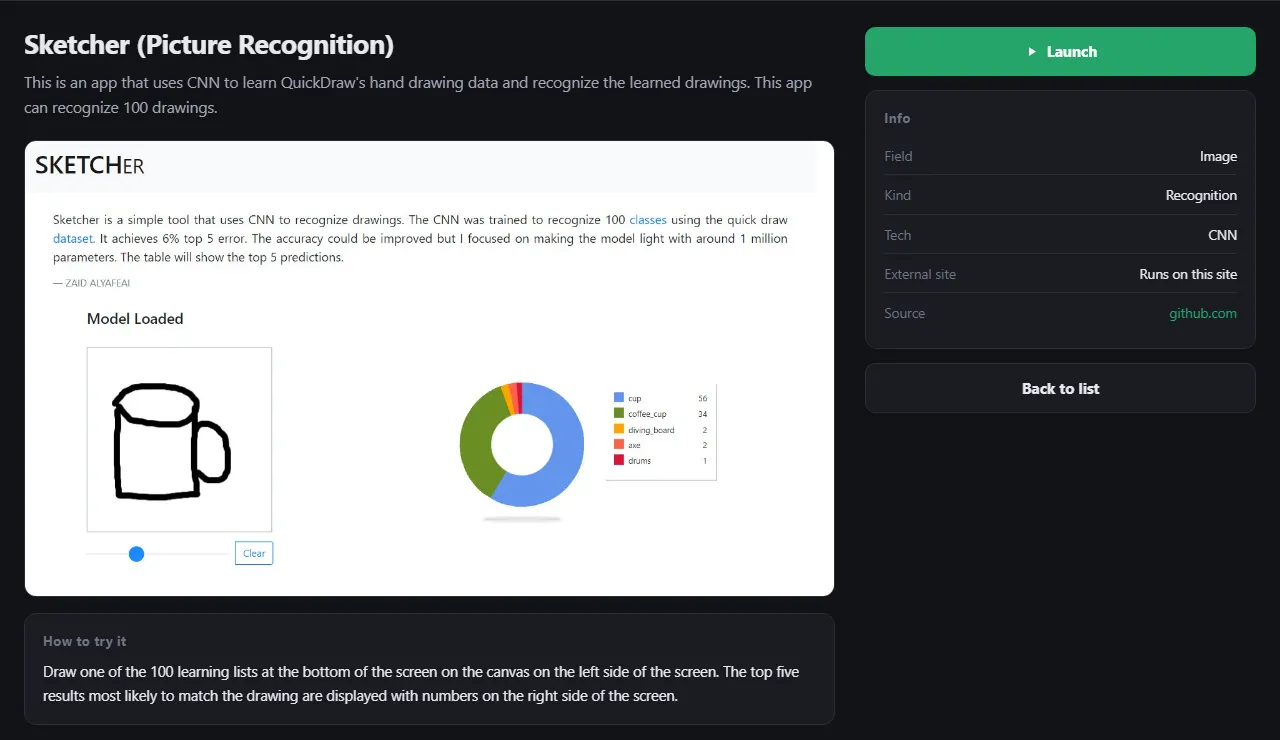
Press a card’s title and you’ll find:
- a short description of what it does, with a preview
- How to try it: what to press first
- Info: its field, kind and technique, whether it runs on this site, and where it comes from
- Launch, which opens it in a new tab
For open-source apps hosted on the site, the original project and its licence are shown too.
Coming up next
Want to see where AI Teading fits among our other apps? Coding for kids: what to try at each age walks through them in order.
Next time we head into science: Nudge, where you predict first and then touch the simulation.
Frequently asked questions
Who is AI Teading for?
It's made for ages 13 and up: students meeting AI for the first time, teachers looking for lesson material, and anyone who just wants to poke at things. For younger children there are AI Teading Kids and AI Teading Teens.
Do students need to log in?
Many resources work without logging in, and the No login filter keeps just those. Some outside services do need a login or cap free usage, and each card shows its requirements.
Where should we start?
Open the learning paths. Each one puts resources in order, split into steps with a short note for each.
Do I need the book?
No. AI Teading began as the companion site to a CodingTeading book on hands-on AI, and one learning path follows the book's order, but it works on its own too.