Nudge: predict first, then touch the science
Drop one ball and throw another sideways. Which lands first? Nudge asks you to predict before you touch the simulation. Here's how one lesson works.
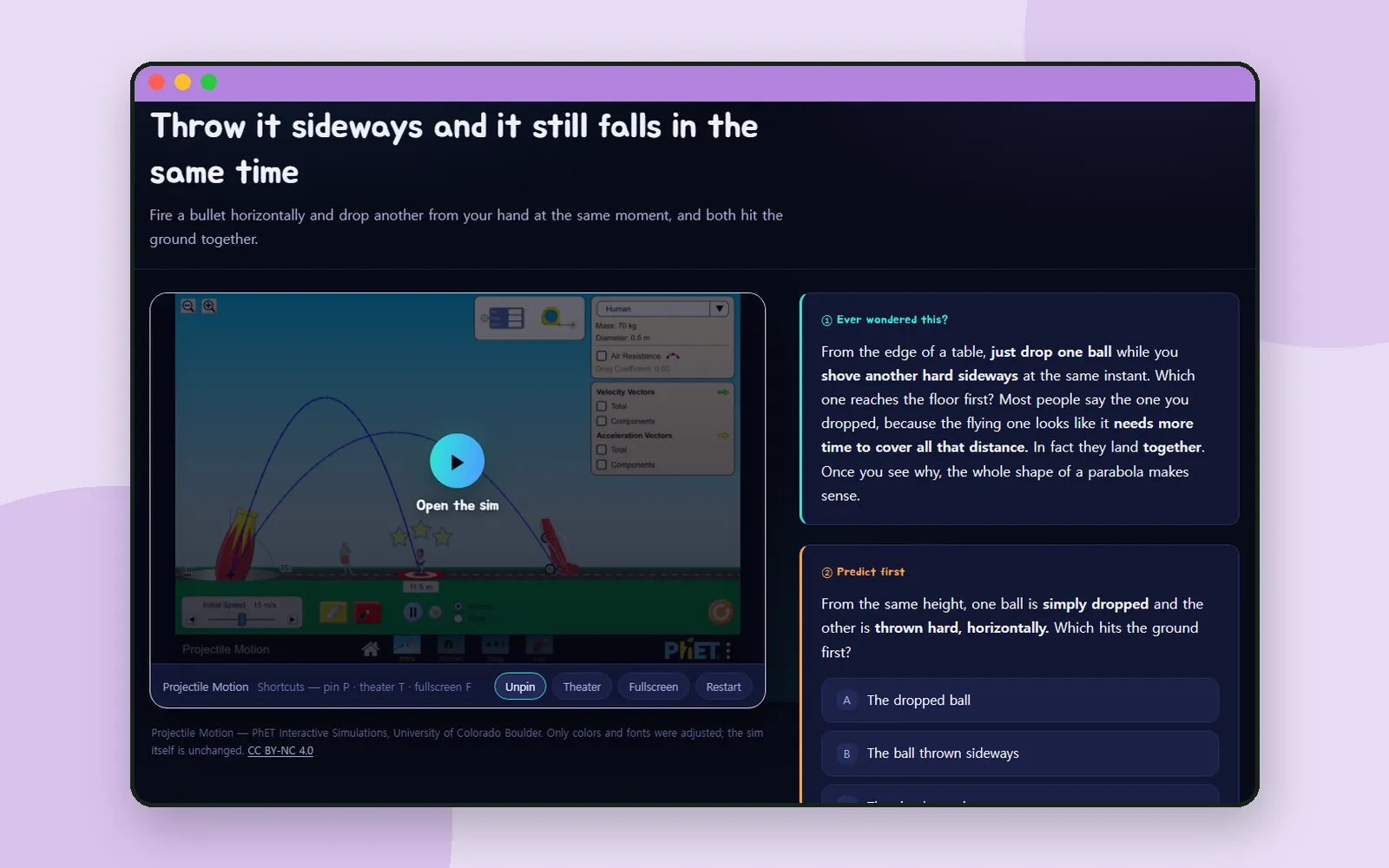
From the edge of a table, you just drop one ball and, at the same instant, shove another one hard sideways. Which reaches the floor first?
Most people pick the dropped one. Hold on to your answer, because that’s exactly how a lesson in Nudge begins. Let’s walk through it together. ⚾
What is Nudge?
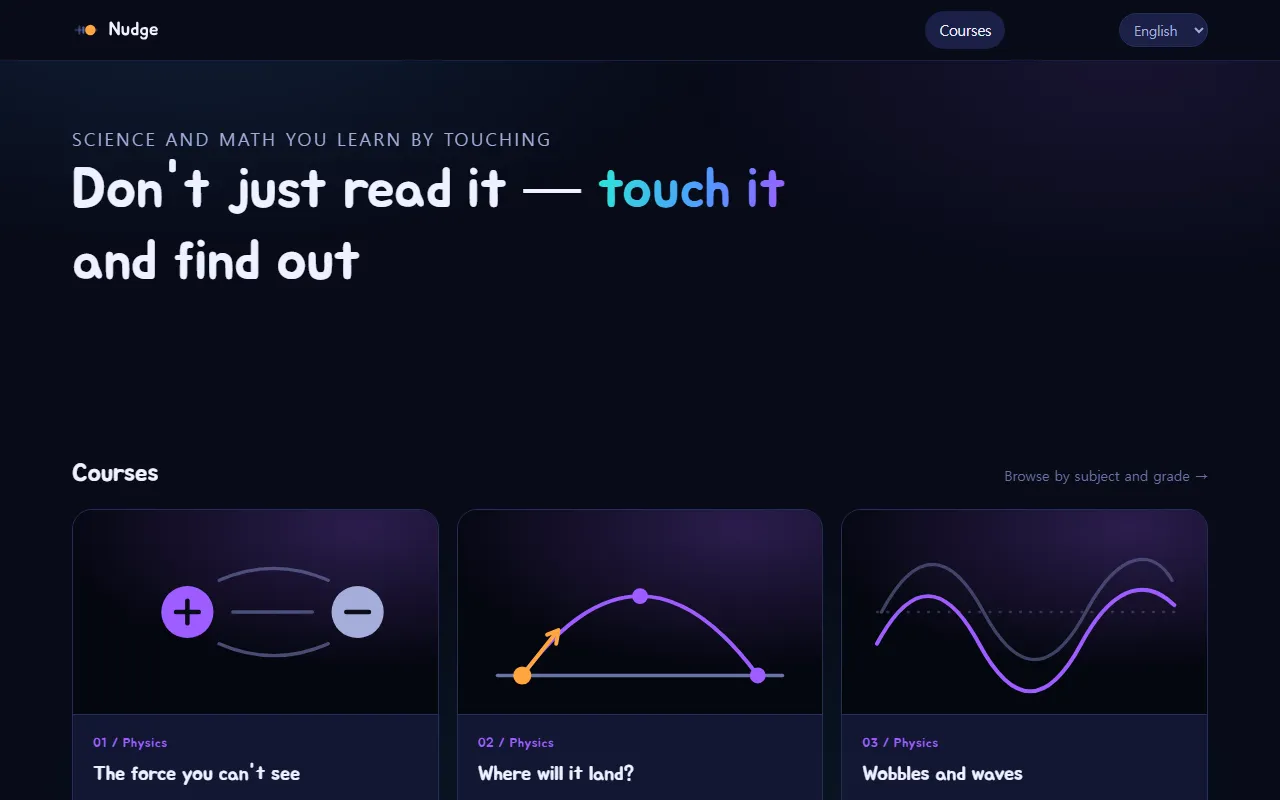
The headline on Nudge’s home page says it all: Don’t just read it — touch it and find out. Nudge is a science and math site where every course starts with a question and answers it by experiment.
The experiments are PhET Interactive Simulations from the University of Colorado Boulder. Nudge wraps a lesson around each one, adjusting only the colors and fonts. The simulation itself is unchanged.
Courses start with a question
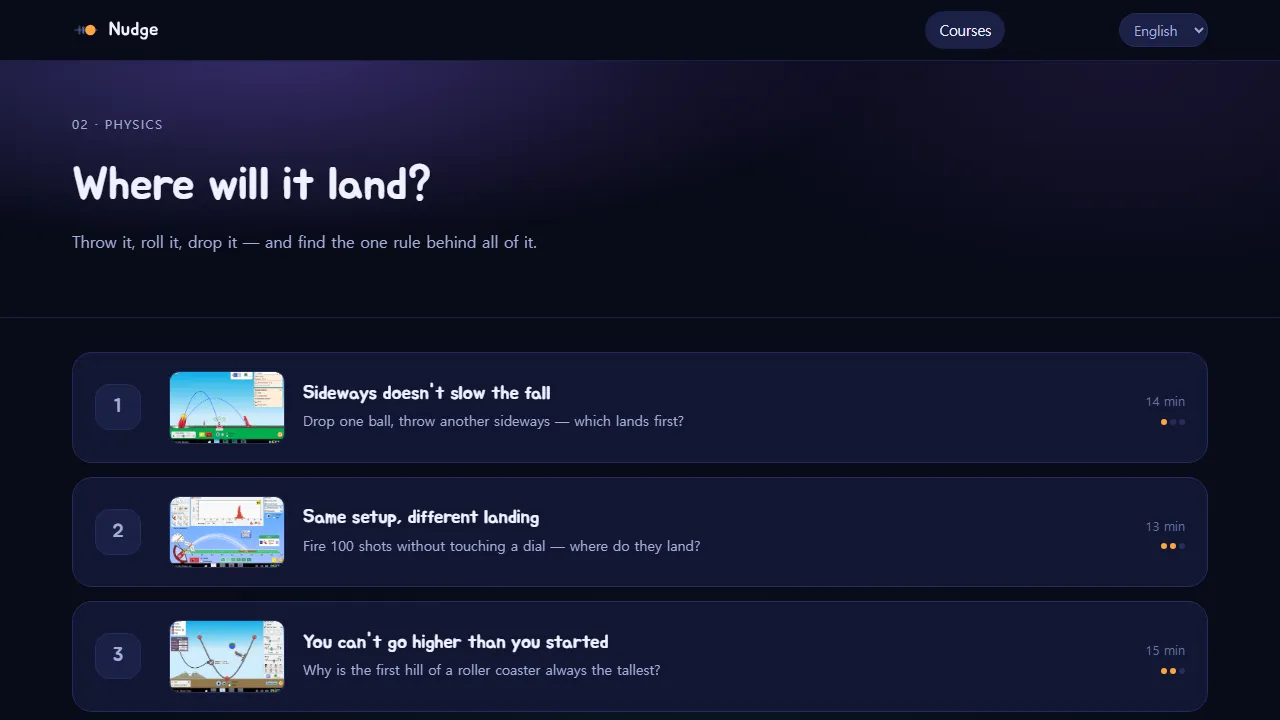
Each course card on the home page leads with a question, like “Why does a basketball arc? What changes when you change the angle?” That one belongs to the course Where will it land?
Open a course and its lessons line up in order, each with about how many minutes it takes. We’ll open the first one: Throw it sideways and it still falls in the same time. Yes, the title gives the answer away. In Nudge, knowing the answer isn’t the point. Seeing it happen under your own hands is.
Inside a lesson: seven blocks
Every lesson runs through the same seven blocks, from ① Ever wondered this? to ⑦ Quick check. The simulation sits on the left, and the blocks on the right. Here are the ones that make Nudge feel different.
② Predict first
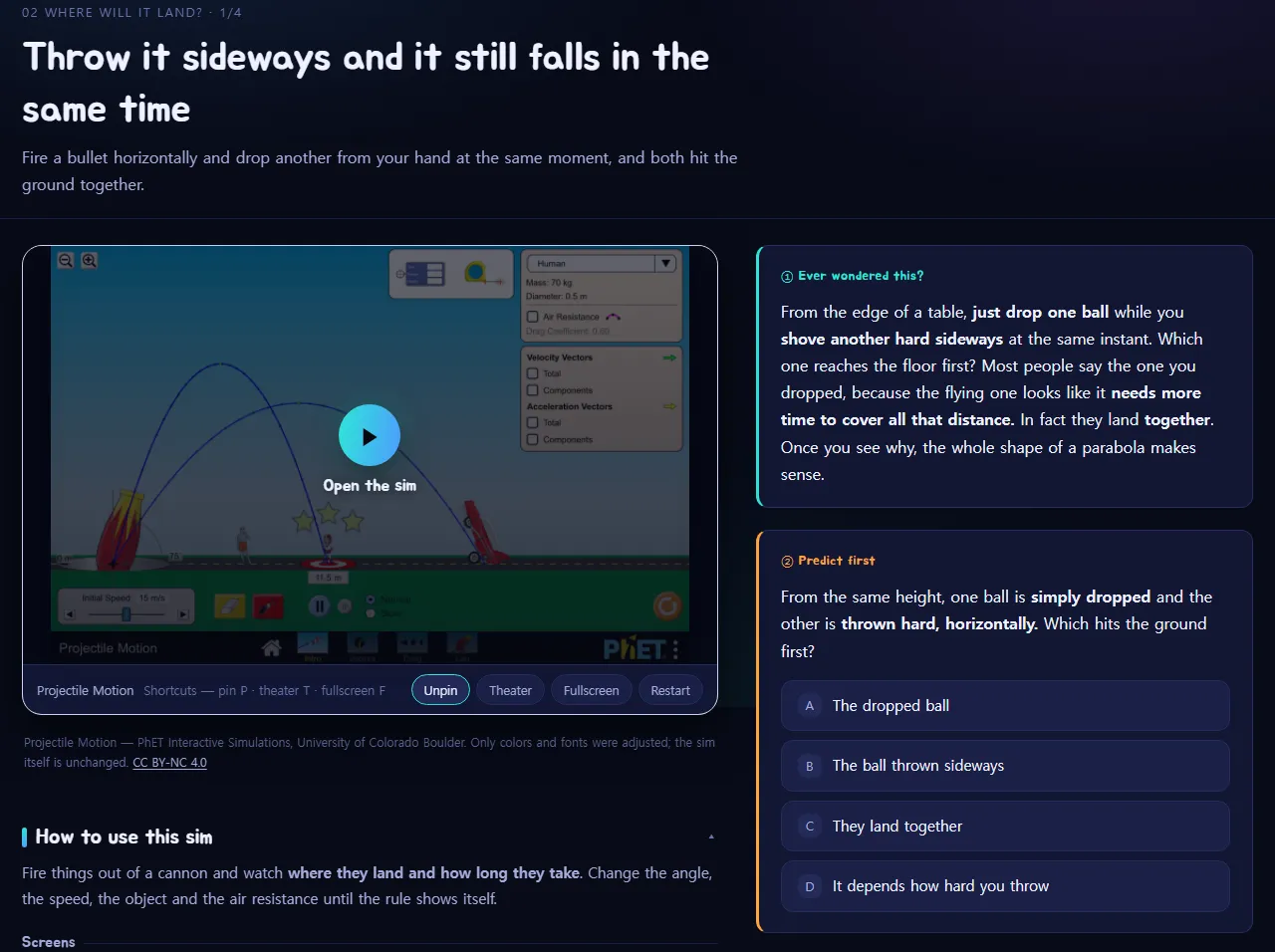
Before you touch anything, you pick an answer to one question: which hits the ground first? The four choices range from the dropped ball to they land together.
Here’s the important part. Nudge doesn’t tell you whether you were right. The note under the choices says: Hold on to your answer. We reveal it in ⑤ — after you run the experiment.
③ Check it with the sim
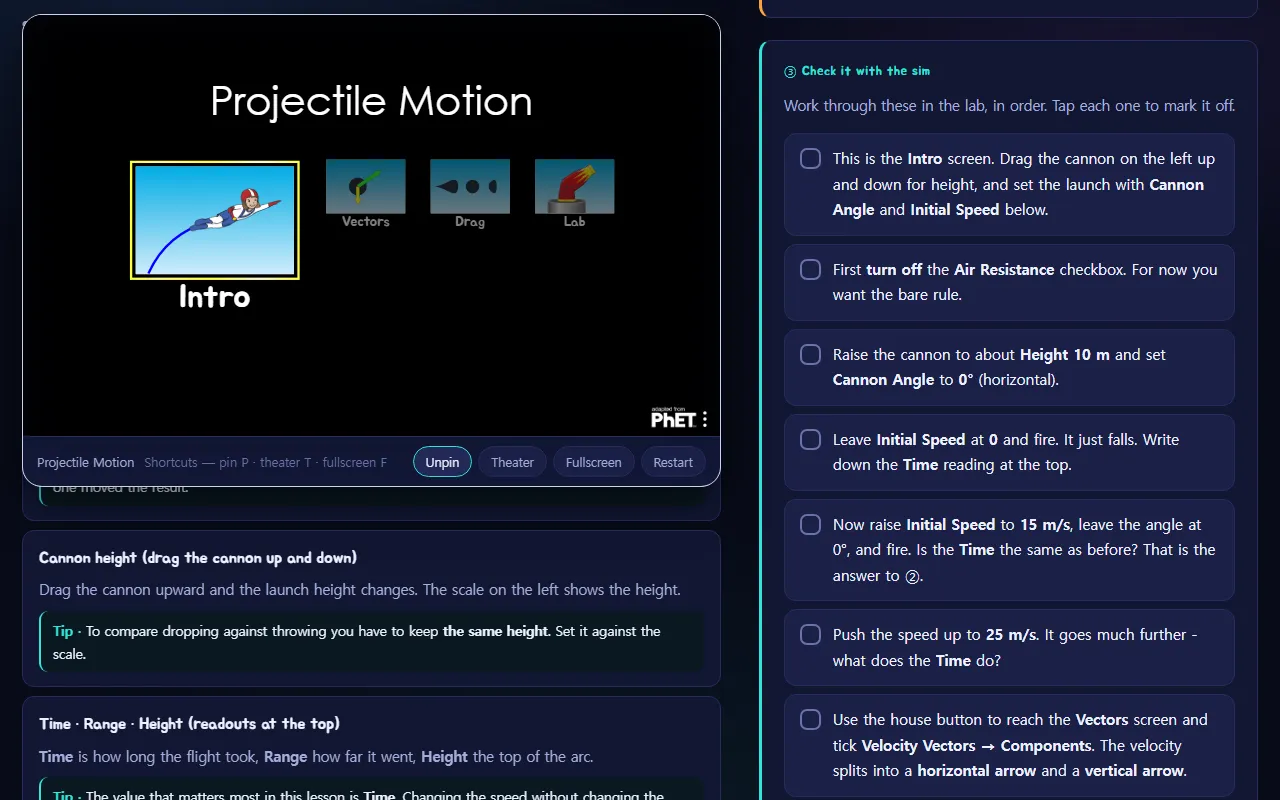
Press Open the sim, and the missions in ③ tell you what to do, one step at a time: Work through these in the lab, in order. Tap each one to mark it off. You set the height, fire once with no speed, then fire again faster, and keep an eye on the flight time.
Then ④ Write down what you saw asks you to put it into your own words.
⑤ Now let’s compare
Only now does the answer open, right next to the prediction you made, followed by the reason it works that way. And if you guessed wrong, Nudge treats that as a good thing: Being wrong is better — reading on will also explain why you thought otherwise.
A how-to under every simulation
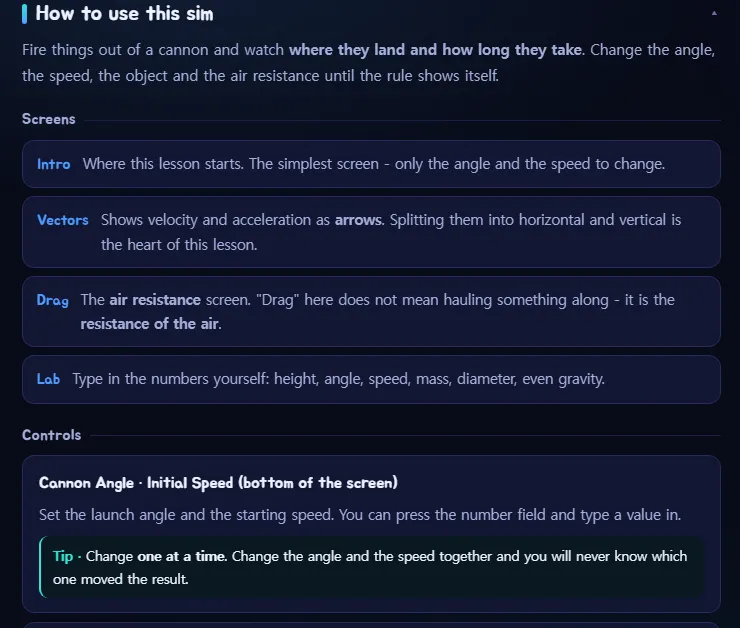
Below each simulation is How to use this sim, split into Screens, Controls, Try this and Easy to get wrong. So nobody gets stuck wondering which button to press, and a grown-up who has never seen the simulation can help too.
Find a simulation by subject and grade

Looking for something for a particular class? Browse by subject and grade lists every simulation, including the ones no course uses yet. Choose a Subject (Math, Physics, Chemistry, Biology, Earth science) and a Grade to narrow it down.
Coming up next
If your child loves the sky as much as experiments, try Byeolmuri, where the sky on screen is the real sky above you. And for a map of what to try at each age, see Coding for kids: what to try at each age.
Frequently asked questions
Who is Nudge for?
It's made for ages 11–18, and the simulations cover physics, chemistry, biology, earth science and math.
Where do the simulations come from?
They're PhET Interactive Simulations from the University of Colorado Boulder. Nudge only adjusted the colors and fonts; the simulations themselves are unchanged.
Does Nudge tell you right away whether your prediction was right?
No. You pick an answer in ② Predict first, run the experiment, write down what you saw, and only then does ⑤ reveal the answer.
Is every simulation translated?
Not all of them. If a simulation has no translation in your language, the lesson says so and the simulation opens in English. The list of all simulations marks those as English only.